
Google Play lets US adults install private AI-built apps without a developer account

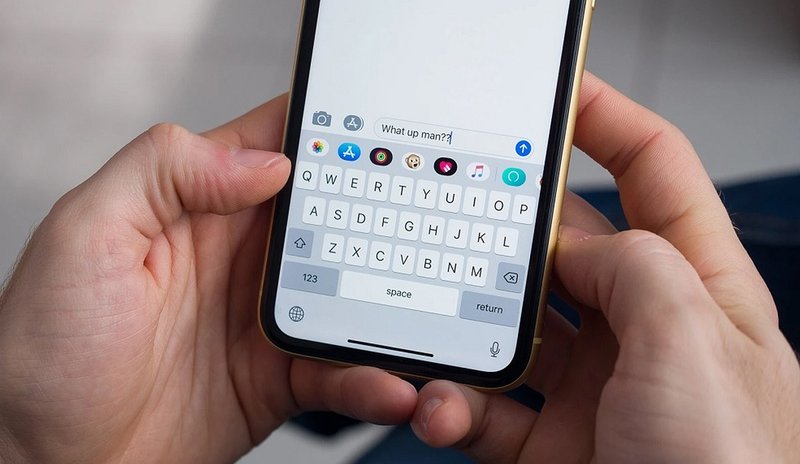
Representative image: markusspiske / Pixabay
From October 13, 2026, US adults can put Android apps built with Google AI Studio on their phones via a private Google Play library, with no developer account.
What Happened
Google began letting adults in the United States put Android apps they build with its AI Studio tool onto their own phones through Google Play, without a paid developer account, on Tuesday, October 13, 2026. The apps, made by describing what you want in plain language rather than by writing code, sit in a private "personal library" on Google Play. According to reports on the launch, they do not appear in Play Store search or listing pages and are not shared with anyone other than the person who made them. Google said a way to share such apps privately with a small circle of friends and family will follow in the coming months.
Key Facts
- The feature launched on October 13, 2026 and is rolling out first in the United States to Google account holders aged 18 and over.
- Apps are built in Google AI Studio, Google's browser-based workspace for its Gemini models, and installed through Google Play.
- No paid Google Play developer account or registration fee is needed; an ordinary Google account is enough.
- The apps stay private: they are not listed or searchable on Google Play and are visible only to their creator.
- Private sharing with friends and family is planned for the coming months, not part of the first release.
- Native Android app generation in AI Studio was first announced in May 2026; until now, putting such an app on a phone through Play meant using a paid developer account and its testing tools.
- Reports differ on whether Google Play reviews these personal apps, and Google has not set out a date for other countries.
Why It Matters
"Vibe coding" is the popular name for building software by telling an AI model what you want and letting it write the code. Until now, the hard part for a non-programmer was not making an app but getting it onto a phone. On Android that usually meant either joining Google Play as a developer, with an account fee, identity checks and testing rules, or sideloading a file from outside the store, which phones warn against and which Google is tightening. The new personal library removes that step for apps that are only meant for the person who made them: a budget tracker, a family chore list or a study timer can go from a prompt to a home screen without anyone else being involved.
The timing matters too. Google has been rolling out rules that require developers to verify their identity before their apps can be installed on certified Android phones, including apps installed from outside Play. Those rules were drawn up to cut down on malware spread through anonymous apps, but they also made life harder for hobbyists. A private, creator-only channel inside Play gives casual builders a sanctioned path that does not involve sideloading, while keeping such apps out of the public store where millions of strangers might download them.
For the AI industry, the launch is part of a race to turn chatbots into tools that produce working software for ordinary users, not just for professional developers. It also shows where the limits still are. Personal apps cannot yet be shared, and the first release covers only the United States. Questions remain about how security problems in AI-written code will be caught if the apps are not reviewed in the usual way; reports on the launch disagree on that point, and Google's own rules on what personal apps may do will decide how far the feature can go.
For Indian readers, AI Studio itself is available, but the Play Store personal library has been launched only in the United States so far. Google has not said when other countries, including India, will get it.
| What changes | Before October 13 | After October 13 (US) |
|---|---|---|
| Account needed to install via Play | Paid developer account | Ordinary Google account |
| Who can see the app | Testers added by the developer | Only the creator |
| Listing on Play Store | Required for public apps | Not listed or searchable |
| Sharing with others | Through testing tracks | Planned for coming months |
Impact
Short-term: Adults in the United States who build apps in AI Studio can install them on their own Android phones through Play straight away, without paying for a developer account or sideloading.
Long-term: If the feature spreads to other countries and adds private sharing, it could create a large class of small, personal and family apps that never enter the public store, and push rival platforms to offer something similar for AI-built software.
Who is affected: Non-programmers and hobbyists who use AI tools to build apps, students learning app development, professional Android developers who may see more competition for simple utility apps, and Google, which keeps such apps inside its own store.
Key Takeaway
Google has made it possible for US adults to turn an AI-built app into a private app on their own phone through Google Play, with no developer account, while sharing and wider country rollout are still to come.
Questions and Answers
What exactly did Google launch on October 13, 2026?
A private "personal library" on Google Play where adults in the United States can install Android apps they built with Google AI Studio, using an ordinary Google account rather than a paid developer account.
Can other people download an app I make this way?
Not at launch. Personal apps are not listed or searchable on Google Play and are visible only to the creator. Google says private sharing with a small group of friends and family is planned for the coming months.
Is the feature available in India?
Not yet. The launch covers the United States first, for users aged 18 and over, and Google has not given a date for India or other countries.
Do I need to know how to code?
No. AI Studio builds the app from a plain-language description using Google's Gemini models, and the user can then install the result on an Android phone through Play.
Disclaimer: Prepared by the Peepals newsroom from publicly available sources with AI assistance. Information is accurate to the best of our knowledge at the time of publication and may change. Images may be representative. Not professional advice. Report an error via our contact page.
Sourced and fact-checked by the Peepals Global Editorial Team
Google brings Gemini 4 Argon to paid users, adds tasks mode that works while you're away
IBM, MeitY Startup Hub sign pact to back deep-tech start-ups from smaller cities
Reported, fact-checked and published by the Peepals Global Editorial Team.